
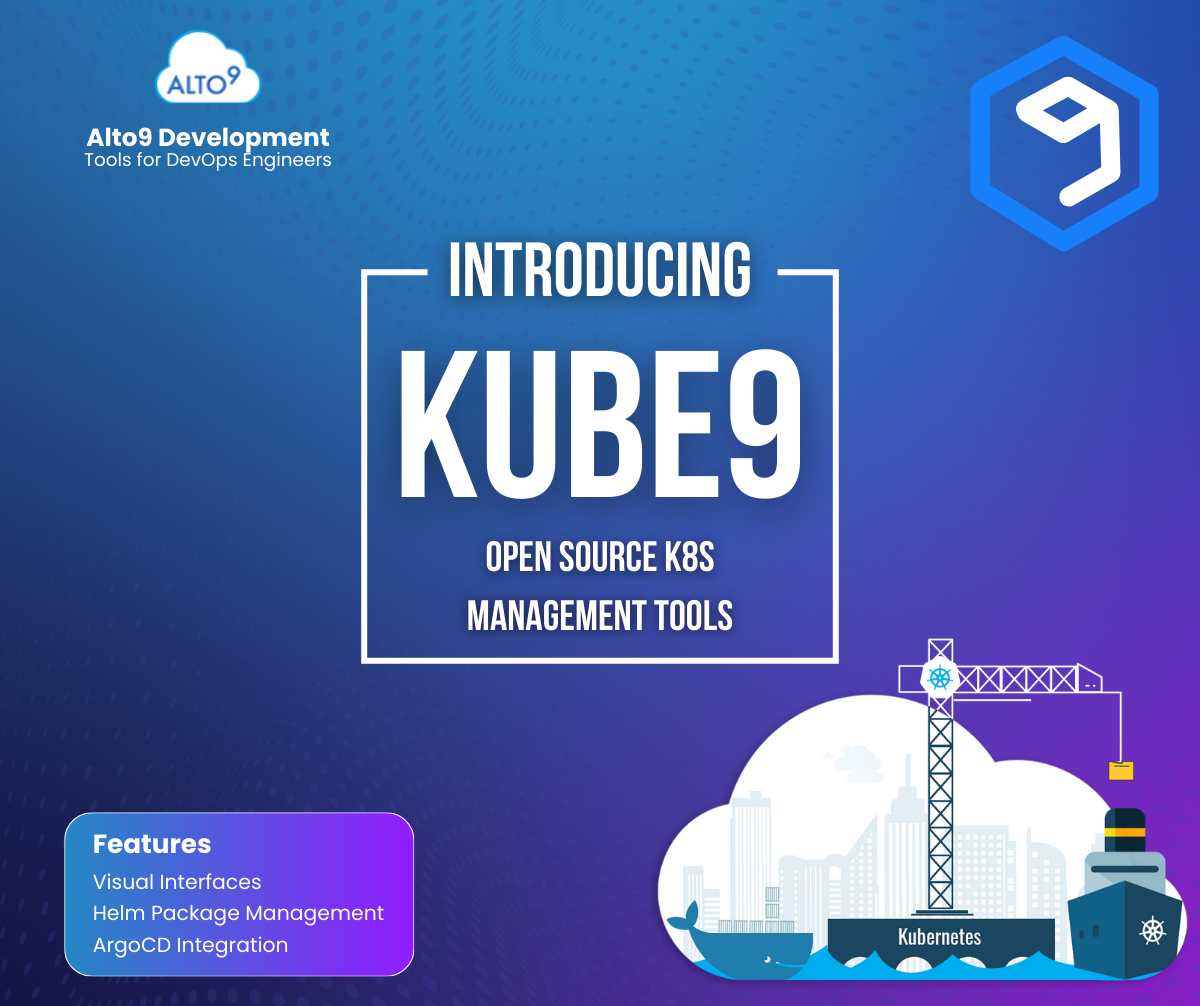
Kubernetes is powerful, but let’s be honest, managing it can feel like archaeology. You’re digging through YAML files, parsing terminal output, and trying to remember which cluster has which namespace. It’s functional, but it’s common to have a handful of IDE’s and editors for different scenarios, just to wind up back at the terminal anyway.
Kube9 is a new open source VS Code extension from Alto9 that transforms Kubernetes management from a command-line exercise into a visual, intuitive experience. Instead of memorizing `kubectl` commands and scrolling through YAML, you get a visual interface that makes cluster management feel natural.
Why Visual Matters
Not everyone thinks in YAML. Some developers are visual learners who understand relationships better when they can see them. Kube9 gives you:
- Visual tree navigation – Browse clusters, namespaces, and resources like you browse files
- Rich resource views – See pod status, events, and conditions in organized, scannable layouts
- Visual status indicators – Instantly see what’s healthy, what’s failing, and what needs attention
- Quick operations – Scale workloads, restart deployments, and manage resources with right-click actions
You can edit YAML when you need to – it’s right there in a tab. But for viewing, organizing, and common operations, you get a visual interface that’s easier to scan and understand.

The Cluster Organizer
If you manage multiple clusters (and who doesn’t?), the Cluster Organizer is probably the feature you’ll use most. It lets you:
- Create custom folders – Group clusters by environment (production, staging, dev), by team, or however makes sense for your workflow
- Set friendly aliases – Rename gke_production_us-central1_cluster-abc123 to something you’ll actually remember
- Build custom views – Create project-specific views that show exactly what you need
The default tree view shows everything from your kubeconfig. But with the Cluster Organizer, you can create views that match how you actually think about your infrastructure. It’s like having a custom dashboard for every project.

What Kube9 Does
Visual Cluster Navigation
Instead of typing `kubectl get pods -n production`, you get a tree view that shows:
- All your clusters (from your kubeconfig)
- Namespaces organized clearly
- Resources grouped by type (Pods, Deployments, Services, etc.)
- Real-time status indicators
Click through your cluster structure just like browsing files in VS Code.
Resource Management
View and manage resources with visual interfaces and YAML editing:
- Describe view – Organized display of resource details, conditions, and events (much easier to scan than `kubectl describe` output)
- YAML view – Full syntax-highlighted editor for editing resources
- Quick operations – Scale workloads, restart deployments, delete resources with right-click actions
- Save changes – Edit YAML and save directly back to your cluster
ArgoCD Integration
If you use ArgoCD for GitOps, Kube9 integrates seamlessly:
- View all ArgoCD Applications with sync and health status
- Detect configuration drift at a glance
- Sync, refresh, and hard refresh applications with right-click actions
- See drift details and recommendations
Developer-Friendly Features
- Pod logs – View logs directly in VS Code with filtering and search
- Port forwarding – Forward ports from pods to localhost
- Terminal access – Open a terminal session in any pod
- YAML templates – Quick templates for common resources
- Dry-run validation – Test YAML before applying
Privacy and Security First
We built Kube9 with privacy as a core principle:
- 100% local – All operations use your local `kubectl` and kubeconfig
- No external servers – Your cluster data never leaves your machine
- Open source – MIT licensed, review the code yourself
Your kubeconfig credentials stay on your machine. Always.
Getting Started
Installing Kube9 takes about 30 seconds:
- Open VS Code
- Go to Extensions (`Ctrl/Cmd + Shift + X`)
- Search for “Kube9”
- Click Install
That’s it. Kube9 automatically reads your kubeconfig and shows your clusters in the sidebar. No configuration needed.
Try It Today
Kube9 for VS Code is free, open source, and available now in the VS Code Marketplace. If you’re working with Kubernetes and using VS Code, give it a try. We think you’ll find it makes cluster management more visual, more organized, and more intuitive.
Install: Search “Kube9” in VS Code Extensions
GitHub: github.com/alto9/kube9-vscode
Documentation: alto9.github.io/kube9/vscode
Kube9 Home: www.kube9.io
Alto9 Home: www.alto9.com

Delayed deployments due to security concerns are a massive frustration for development teams. But they are also a necessary evil. In an environment where data breaches can cost millions and destroy reputations overnight, security cannot be an afterthought. The tension between speed and safety is the central conflict of modern software development. Here we explore how to integrate security into your workflow so you can deploy with confidence and speed.
Shifting Left: The Core Solution
The industry standard solution to this problem is “shifting left.” This means moving security testing and considerations to the earliest stages of the development lifecycle—to the “left” on the project timeline.
Instead of waiting for a final audit, security becomes part of the requirements gathering, design, and coding phases.
1. Security In Requirements And Design
Before a single line of code is written, security requirements should be defined. If you are building a feature that handles user data, questions about encryption, access control, and data retention need to be answered during the planning phase. Threat modeling sessions can help identify potential risks early, allowing architects to design systems that are secure by default.
2. Automated Security Testing (AST)
You cannot rely solely on manual penetration testing if you want to deploy daily or weekly. Automation is key.
- Static Application Security Testing (SAST): These tools analyze source code for known vulnerabilities while developers are writing it. It’s like a spell-checker for security flaws.
- Dynamic Application Security Testing (DAST): These tools test the running application for vulnerabilities, simulating how an attacker might behave.
- Software Composition Analysis (SCA): Modern applications rely heavily on open-source libraries. SCA tools scan your dependencies to ensure you aren’t inheriting known vulnerabilities from third-party code.
By integrating these tools directly into the CI/CD pipeline, you catch issues immediately. If a developer commits code that introduces a vulnerability, the build fails, and they get instant feedback.
Empowering Developers (DevSecOps)
Tools alone won’t solve the problem. You need a cultural shift towards DevSecOps—a philosophy where development, security, and operations share responsibility for the safety of the software.
Security Champions
One effective strategy is to designate “Security Champions” within development teams. These are developers with an interest in security who receive extra training. They act as a bridge between the engineering and security teams, answering basic questions and ensuring security best practices are followed during the coding process.
Just-In-Time Training
Annual compliance training is rarely effective at preventing coding errors. Instead, provide training that is relevant to the developer’s current work. If a SAST tool flags a SQL injection vulnerability, use that moment to provide a micro-lesson on how to prevent SQL injection. This “just-in-time” learning is far more impactful.
Handling False Positives
Nothing erodes trust in security tools faster than false positives. If a developer’s build fails because a tool flagged a non-existent issue, they will eventually start ignoring the tool—or worse, disable it.
Security teams must actively manage their toolsets to tune out noise.
- Baseline Tuning: Spend time configuring tools to understand the specific context of the application.
- Feedback Loops: Create an easy way for developers to flag false positives so the security team can adjust the rules.
- Prioritization: Not all vulnerabilities need to be fixed immediately. Focus on “critical” and “high” severity issues that have a known exploit. Lower priority issues can be added to the backlog to be addressed later.
When Things Go Wrong: Incident Response
Despite best efforts, vulnerabilities will slip through. The measure of a mature organization isn’t just how well they prevent issues, but how fast they recover.
Having a robust incident response plan helps reduce the fear of deployment. If teams know there is a clear, practiced procedure for rolling back bad code or hot-fixing a vulnerability, they are less paralyzed by the prospect of a security failure. Make “observability” a priority—you need to know an attack is happening in real-time to stop it.


Predicting the future of technology is often a fool’s errand. Just five years ago, few could have anticipated the sheer velocity at which generative AI would upend software development. Yet, here we are. As we look toward 2026, the DevOps landscape appears poised for another significant transformation—one that moves beyond simple automation and into the realm of intelligent, autonomous systems.
The Rise Of AI-Augmented DevOps
By 2026, Artificial Intelligence will no longer be a novelty in the DevOps toolchain; it will be the backbone. We are currently seeing the early stages of this with AI coding assistants, but the next phase involves AI taking over the operational aspects of software delivery.
Autonomous Remediation
The concept of “self-healing systems” has been around for years, but true autonomy has often been elusive. In 2026, we expect to see AI agents that don’t just alert engineers to a problem but actively fix it. These systems will analyze historical incident data, identify root causes in real-time, and deploy patches or rollback changes without human intervention.
Predictive Capacity Planning
Gone are the days of over-provisioning resources “just in case.” Advanced machine learning models will predict traffic spikes and resource needs with near-perfect accuracy, dynamically scaling infrastructure up and down. This will optimize cloud costs and reduce the carbon footprint of data centers, aligning DevOps goals with growing sustainability mandates.
Platform Engineering As The Standard
The “DevOps” title has become somewhat diluted, often used as a catch-all for anything related to infrastructure. By 2026, we will see a crystallization of roles, with Platform Engineering emerging as the dominant framework for enabling developer productivity.
The Internal Developer Platform (IDP)
In 2026, the Internal Developer Platform will be as standard as the IDE. These platforms will abstract away the complexities of Kubernetes, cloud permissions, and networking. Developers will interact with high-level interfaces that allow them to spin up environments, deploy microservices, and manage databases via self-service portals. This shift addresses the cognitive load problem that has plagued the DevOps movement.
Product-Minded Platform Teams
Successful platform teams in 2026 will operate like product teams. They will conduct user research with their internal developers, measure adoption rates, and iterate on the platform based on feedback. The mentality of “build it and they will come” will be replaced by a focus on Developer Experience (DX) as a key performance indicator.
Security Shifts Left… And Right
DevSecOps will mature from a buzzword into a seamless, invisible process. Security checks will no longer be roadblocks at the end of the development cycle; they will be woven into the fabric of the platform itself.
Supply Chain Security
With the ever increasing complexity of software supply chains, securing the pipeline will be paramount. By 2026, Software Bill of Materials (SBOMs) will be mandatory for most industries, not just government contracts. Tools will automatically verify the integrity of every library and container image, blocking compromised dependencies before they ever reach the build server.
Identity-First Security
As perimeter-based security becomes obsolete in a distributed cloud environment, identity will become the new perimeter. Zero Trust architectures will be the default implementation. We will see a move away from long-lived credentials (like API keys and passwords) toward ephemeral, just-in-time access grants managed automatically by the platform.
The Human Element: Culture And Skills
Despite the heavy focus on automation and AI, the human element of DevOps will remain critical. However, the required skill set will look different in 2026.
Soft Skills Are Hard Requirements
As technical barriers lower, communication and collaboration skills will rise in value. DevOps engineers will need to act as bridges between business stakeholders, data scientists, and software developers. The ability to articulate the business value of technical decisions will be a key differentiator for senior engineers.
Upskilling For The AI Era
The fear that AI will replace jobs is valid, but a more nuanced view is that AI will replace tasks. DevOps professionals in 2026 will need to be proficient in prompting, tuning, and managing AI models. Understanding how LLMs (Large Language Models) work, their limitations, and how to integrate them into workflows will be a fundamental skill, much like knowing Linux commands is today.
Sustainability As A Non-Negotiable
GreenOps—the practice of optimizing cloud usage to minimize environmental impact—will move from a niche concern to a core operational metric.
Carbon-Aware Computing
By 2026, orchestration tools will be “carbon-aware.” Workloads that are not time-sensitive (like batch processing or model training) will automatically be scheduled to run in regions or at times when renewable energy availability is high.
Measuring Efficiency
Organizations will track “carbon cost per transaction” alongside financial costs. This transparency will drive architectural decisions, favoring efficient languages and serverless architectures over resource-heavy legacy systems.

The countdown begins. The confetti is ready. You have your beverage of choice in hand. New Year’s Eve is one of the few holidays celebrated almost universally across the globe, yet most of us know very little about why we celebrate the way we do. We sing songs in languages we don’t speak, eat specific foods for “luck,” and watch a giant crystal ball descend a flagpole in New York City. But have you ever stopped to ask why?
The History Of The Times Square Ball
The “ball drop” is iconic, but its origins are surprisingly maritime. In the 19th century, “time balls” were dropped in ports at specific times (usually 1:00 PM) to help sailors adjust their chronometers for navigation.
The first ball drop in Times Square happened in 1907 because fireworks were banned in the city. The original ball was made of wood and iron, weighed 700 pounds, and was covered in 100 light bulbs. Today, the ball is a geometric marvel covered in Waterford Crystal triangles and powered by thousands of LEDs, weighing in at nearly 12,000 pounds.
Why We Sing “Auld Lang Syne”
When the clock strikes twelve, people across the English-speaking world join hands and belt out “Auld Lang Syne.” Most people get the words wrong, and even fewer know what they mean.
The song is an old Scottish poem written down by Robert Burns in 1788. The title roughly translates to “times gone by” or “old long since.” It is essentially a song about remembering old friends and preserving old memories, asking the question: “Should old acquaintance be forgot?”
The song became a New Year’s staple in North America largely thanks to bandleader Guy Lombardo. His band, the Royal Canadians, played the song at midnight on radio and TV broadcasts for decades, cementing it as the anthem of the holiday.
The Reason For The Midnight Kiss
Pucker up! According to English and German folklore, the first person you encounter in the new year sets the tone for the next 12 months. This superstition evolved over time. Now, the tradition holds that kissing a loved one at midnight ensures that your relationship will thrive in the coming year. Conversely, failing to find a partner for a midnight smooch is said to doom you to a year of loneliness.
Pork Vs. Lobster
What you eat matters, but what you don’t eat matters too. In many cultures, pork is considered lucky because pigs root forward with their snouts, symbolizing progress. Chickens and turkeys scratch backward, so eating poultry is sometimes considered bad luck—you don’t want to dwell on the past. Lobster is also off the menu for the superstitious, as lobsters can move backward, which could signify setbacks in the new year.
The Reality Of Resolutions
The Babylonians were the first to make New Year’s resolutions, though theirs were usually promises to the gods to return borrowed farm equipment or pay off debts.
Today, nearly half of all Americans make resolutions, with weight loss and financial management topping the list. Unfortunately, statistics show that success rates are low. This phenomenon is so common that January 17th is sometimes jokingly referred to as “Ditch New Year’s Resolution Day.”

We hang stockings, light candles, and gather around festive meals without often stopping to wonder why. But behind every familiar ritual lies a history that is often strange, surprising, or completely unexpected.
Knowing the origins of these traditions does more than just fill a lull in conversation at the dinner table. It connects us to the past and reveals how cultures blend and evolve. From the real story of Rudolph to the reason we eat candy canes, the holidays are packed with trivia that can delight even the biggest Grinch.
The Unexpected Origins Of Christmas Traditions
Many of the things we associate with Christmas didn’t start that way. In fact, several popular customs have roots in ancient festivals or accidental marketing campaigns.
Why Do We Hang Stockings?
Hanging stockings by the chimney comes from a legend about Saint Nicholas. According to the story, a poor man had three daughters but no money for their dowries, meaning they couldn’t get married. Saint Nicholas, wanting to help anonymously, dropped gold coins down the man’s chimney. The coins fell in the girls’ stockings, which were drying by the fire.
Today, while we might not find gold coins, the tradition persists as a symbol of generosity and surprise.
The 1939 Creation Of Rudolph
Rudolph the Red-Nosed Reindeer feels like an ancient part of Christmas lore, but he is actually a relatively modern invention. He wasn’t born in the North Pole, but in a department store.
In 1939, copywriter Robert L. May was asked by Montgomery Ward to write a Christmas story they could give away to customers. He created the story of the misfit reindeer, drawing inspiration from the “Ugly Duckling” tale. The store gave away 2.4 million copies in the first year alone. A decade later, May’s brother-in-law, Johnny Marks, adapted the story into the famous song, cementing Rudolph’s place in history.
Hanukkah: Miracles And Mathematics
Hanukkah, Festival of Lights, celebrates the rededication of the Second Temple in Jerusalem. While the central miracle involves oil lasting for eight days, there are other fascinating elements to this celebration.
The Dreidel Was A Decoy
The four-sided spinning top known as the dreidel wasn’t originally just a game. During the 2nd century BCE, learning the Torah was outlawed by Greek-Syrian rulers. Jewish students would gather in secret to study. When soldiers approached, the students would quickly hide their scrolls and pull out spinning tops, pretending they were just gambling. This clever ruse allowed them to preserve their traditions and education in plain sight.
17.5 Million Donuts
While latkes (potato pancakes) are a staple, sufganiyot (jelly donuts) are equally important, especially in Israel. Fried foods are eaten to celebrate the miracle of the oil. In Israel alone, it is estimated that 17.5 million jelly donuts are consumed during the eight days of Hanukkah. That is a lot of dough!
Kwanzaa: A Celebration Of Roots And Values
Kwanzaa is a younger holiday compared to others, but it is rich in symbolism and cultural pride. Created by Dr. Maulana Karenga, it was designed to bring African Americans together to celebrate their heritage.
The Meaning Of The Name
The name “Kwanzaa” comes from the Swahili phrase matunda ya kwanza, which means “first fruits.” The festival is modeled after traditional African harvest celebrations. Interestingly, the word Kwanza has only one “a” in Swahili. The second “a” was added to the holiday’s name so that it would have seven letters, corresponding to the seven principles (Nguzo Saba) of Kwanzaa.
The Seven Candles
The Mishumaa Saba, seven candles, represents the seven principles. Unity, Self-Determination, Collective Work and Responsibility, Cooperative Economics, Purpose, Creativity, and Faith. Three red candles represent the struggle, three green candles represent the future and hope, and one black candle in the center represents the people.
Festive Foods And Their Odd Beginnings
Holiday feasts are legendary, but some specific food items have bizarre backstories.
The Candy Cane Controversy
Legend says a choirmaster in Cologne, Germany, in 1670 handed out sugar sticks to the young singers to help keep them quiet during the long Living Creche ceremony. To justify giving candy in church, he had them bent into the shape of a shepherd’s crook. While this story is widely repeated, historical evidence is scarce. What we do know is that mass production didn’t start until the 1900s, when a machine was invented to automatically bend the stick, making them a holiday staple.
Fruitcake: The Ancient Energy Bar
Fruitcake is often the butt of holiday jokes, known for being dense and lasting forever. This longevity was actually the point. The Romans created a version of fruitcake called satura, mixing pomegranate seeds, pine nuts, and raisins into barley mash. Later, in the Middle Ages, crusaders and hunters carried similar cakes because they were calorie-dense and wouldn’t spoil on long journeys. It was essentially the original energy bar.
Predicting the future of technology is always a bit of a gamble. Just a few years ago, we were still debating the merits of on-premise versus cloud. Now, the conversation has shifted entirely to how we manage multi-cloud complexities and leverage artificial intelligence to write our code for us.
DevOps, at its core, has always been about speed and efficiency. It’s the bridge that connects the creative chaos of development with the stable rigidity of operations. As we look toward 2026, that bridge is being fortified with new materials: AI, platform engineering, and a renewed, almost fanatical focus on security.
AI-Augmented DevOps (AIOps) Becomes Standard
Artificial Intelligence isn’t just a buzzword anymore; it’s a coworker. By 2026, we expect AIOps to graduate from “experimental” to “essential.”
In the past, monitoring tools would scream at you with thousands of alerts, leaving engineers to sift through the noise to find the actual fire. AIOps changes this dynamic. Instead of just flagging an issue, AI agents will increasingly predict failures before they happen by analyzing historical data patterns.
Furthermore, we are moving toward self-healing systems. Imagine a scenario where a deployment triggers a memory leak. In a traditional setup, this alerts an engineer, who wakes up at 2:00 AM to roll back the update. In 2026, the AIOps agent detects the anomaly, verifies it against baseline performance metrics, and executes the rollback automatically—all while the engineer sleeps.
Platform Engineering Replaces “You Build It, You Run It”
For a long time, the “You Build It, You Run It” philosophy put immense pressure on developers. They had to be experts in writing code, but also experts in Kubernetes, networking, and cloud infrastructure. Burnout was inevitable. Platform Engineering is the industry’s answer to this cognitive overload.
By 2026, we anticipate that most enterprise-level organizations will have dedicated Platform Engineering teams. Their job isn’t to run the apps, but to build the “Internal Developer Platform” (IDP). This IDP serves as a product for the developers. It provides paved roads—standardized, pre-approved paths for deploying applications.
Developers won’t need to fiddle with Helm charts or Terraform modules from scratch. They will simply interface with the IDP to spin up the resources they need.
DevSecOps: Security Shifts Left… And Right
The concept of “Shifting Left”—integrating security early in the development lifecycle—is not new. However, by 2026, the implementation will look different. It won’t just be about scanning code for vulnerabilities before a commit.
Automated Compliance Guardrails
Security policies will be codified. Instead of a security team reviewing architecture diagrams manually, policy-as-code engines will enforce rules at the pull request level. If a developer tries to deploy a database with public access, the pipeline will simply reject it.
Software Supply Chain Integrity
Following high-profile breaches in recent years, scrutiny on the software supply chain will hit its peak. By 2026, generating a Software Bill of Materials (SBOM) will likely be a mandatory step in every pipeline. Organizations will need to know exactly what libraries they are using, where they came from, and who maintains them.
GreenOps: Sustainability as a Metric
Sustainability is moving from a corporate social responsibility footnote to a core engineering metric. This is what the industry is calling “GreenOps.”
As cloud bills soar and carbon footprints come under regulatory scrutiny, DevOps teams will be tasked with optimizing for energy efficiency. This involves:
- Carbon-aware scheduling: Running heavy batch jobs in regions or at times when the energy grid is powered by renewables.
- Rightsizing resources: Aggressively scaling down non-production environments when they aren’t in use.
- Efficient code: Analyzing the energy consumption of specific microservices and refactoring them to be less computationally expensive.
In 2026, expect your cloud dashboard to show you carbon emissions right next to your monthly cost.
The Rise of Serverless Containers
Serverless computing has been around for a while (think AWS Lambda), but the next evolution is “Serverless Containers.”
Managing Kubernetes clusters is complex and resource-intensive. The trend for 2026 is moving toward abstracting the cluster entirely. Teams will deploy containers without ever thinking about nodes or pods. This “Serverless V2” approach combines the portability of containers with the operational simplicity of serverless functions.
This shift significantly reduces the operational overhead for DevOps teams. Instead of managing upgrades and patching nodes, teams can focus entirely on the application architecture and deployment logic.

Integrating AI into the development lifecycle isn’t a simple plug-and-play solution. Its effective use requires a balanced approach—one that leverages its strengths while remaining aware of its limitations. Without clear guidelines, teams risk introducing subtle errors, compromising code security, and becoming overly reliant on automated suggestions.
The Do’s: Best Practices For AI In Development
To make the most of AI tools in your development workflow, it’s important to approach them with a clear strategy. Focus on integrating them in a way that complements your skills and enhances your team’s overall productivity.
Do: Use AI As A Learning Tool
One of the most valuable applications of AI is its ability to be an educational resource. When you encounter a new programming concept, language, or framework, AI assistants can provide clear explanations and practical examples.
For instance, if you’re learning Python and struggling with decorators, you can ask an AI tool to explain the concept and provide a simple code snippet. This on-demand access to information can significantly speed up your learning curve and help you master new skills more efficiently. Think of your AI assistant as an interactive textbook that can answer your specific questions in real-time.
Do: Automate Repetitive And Boilerplate Code
Every developer spends a significant amount of time writing repetitive or boilerplate code, such as setting up project structures, writing configuration files, or creating standard functions. AI tools excel at automating these mundane tasks.
You can instruct an AI assistant to generate the basic structure for a new component in a framework like React, create a generic API endpoint in Node.js, or write unit tests for simple functions.
Do: Leverage AI For Brainstorming And Ideation
When you’re stuck on a complex problem or exploring different architectural approaches, AI can be a powerful brainstorming partner. It can suggest various algorithms, design patterns, or solutions that you might not have considered.
For example, if you need to optimize a database query, you can describe the problem to an AI assistant and ask for different strategies. It might suggest creating a specific index, refactoring the query structure, or using a different caching mechanism. While the AI’s suggestions may not always be perfect, they can provide a valuable starting point and spark new ideas for you to explore and refine.
Do: Focus On Writing Clear And Detailed Prompts
The quality of the output you get from an AI tool is directly proportional to the quality of the input you provide. To receive useful and accurate code or suggestions, you need to write clear, specific, and detailed prompts.
Instead of a vague request like “write a login function,” provide specific context. A better prompt would be: “Write a secure login function in Python using Flask and the bcrypt library. It should take a username and password, hash the password, and compare it to the stored hash in the database. Include error handling for incorrect credentials.” The more detail you provide, the closer the AI-generated code will be to your actual needs.
The Don’ts: Pitfalls To Avoid with AI
While AI offers benefits, it also presents potential risks. Being aware of these common pitfalls is crucial for maintaining code quality, security, and your own professional growth.
Don’t: Blindly Trust AI-Generated Code
Never copy and paste code from an AI tool directly into your production codebase without thoroughly reviewing and understanding it. Always treat AI-generated code as a suggestion, not a final solution. Scrutinize it for correctness, efficiency, and adherence to your project’s coding standards. Remember, you are ultimately responsible for the code you commit. Blindly trusting an AI can lead to technical debt and significant security risks down the line.
Don’t: Let AI Compromise Your Understanding
Over-reliance on AI for problem-solving can hinder your own learning and critical thinking skills. If you always turn to an AI assistant at the first sign of a challenge, you miss out on the valuable experience of grappling with a problem and developing a deep understanding of the underlying concepts.
Make a genuine effort to solve problems on your own before asking an AI for help. Use it as a resource to guide you when you’re truly stuck, not as a crutch to avoid thinking.
Don’t: Ignore Performance And Optimization
AI-generated code is often functional, but it may not be the most performant or efficient solution. AI models typically prioritize generating a working answer quickly, which can sometimes result in suboptimal algorithms or inefficient resource usage.
Always analyze the performance implications of AI-generated code. Consider its time and space complexity, and look for opportunities to optimize it. For example, an AI might suggest a simple but slow solution for sorting a large dataset. It’s your job as a developer to recognize this and implement a more efficient algorithm where necessary.
Don’t: Forget The Importance Of Human Collaboration
AI is a very powerful tool, but it cannot replace the value of human collaboration. Discussing complex problems with your colleagues, conducting peer code reviews, and engaging in team brainstorming sessions are essential for building high-quality software.
Your teammates bring diverse perspectives, contextual knowledge about the project, and a level of creativity that AI cannot replicate. Use AI to enhance your individual productivity, but continue to prioritize communication and collaboration with your team to foster innovation and ensure the best possible outcomes.

While the buzz around AI often leans toward futuristic scenarios, its immediate value lies in the trenches of software engineering. Integrating AI into your development lifecycle isn’t just about staying trendy; it is a calculated financial decision that directly impacts your bottom line. Here is why investing in AI for development is a smart move.
1. Reducing Technical Debt And Refactoring Legacy Code
Every successful software company eventually faces the mountain of technical debt. Legacy code—software written years ago that is now difficult to maintain—slows down innovation and creates security risks. Refactoring this code is often expensive, risky, and boring for developers.
AI changes the calculus on legacy modernization. Advanced language models can analyze snippets of obscure, outdated code and explain exactly what they do. More importantly, they can rewrite that code into modern languages or cleaner syntax while preserving the original functionality.
2. Automated Testing And QA
Writing unit tests and integration tests is essential for stable software, yet it is often the first task cut when deadlines loom. Developers generally dislike writing tests because it feels repetitive.
AI excels at this repetition. It can analyze a block of code and automatically generate comprehensive test cases, including edge cases that a human might overlook. By integrating AI into your CI/CD (Continuous Integration/Continuous Deployment) pipeline, you ensure that every line of code is tested before it ever reaches production.
3. Improving Developer Satisfaction And Retention
Burnout is a significant threat to engineering teams. When high-paid, creative engineers spend their days fixing syntax errors, writing documentation, or wrestling with configuration files, job satisfaction plummets.
When developers feel productive and challenged, they stay. Considering the high cost of recruiting and onboarding new engineering talent, retaining your existing team by giving them the best tools available is a cost-saving measure in itself.
4. Bridging The Skills Gap
Senior engineers are expensive and hard to find. Junior developers are eager but require significant mentorship and time to become fully productive. AI acts as an always-available mentor for your junior staff.
If a junior developer gets stuck on a complex error message or doesn’t understand a specific design pattern, they can ask the AI for an explanation. The AI provides immediate, context-aware answers. This reduces the need for juniors to constantly interrupt senior staff for help, preserving the focus time of your most expensive resources.
5. Enhanced Security Posture
Security cannot be an afterthought, yet manual code reviews often miss subtle vulnerabilities. AI-powered security tools scan code in real-time as it is written, flagging potential security flaws like SQL injection vulnerabilities or hard-coded credentials.
Unlike a human reviewer who might get tired after reviewing 500 lines of code, AI maintains the same level of vigilance on line one as it does on line one million. By identifying these vulnerabilities during the development phase, you avoid the frantic fire drills that occur when a security audit reveals a critical flaw days before launch.
6. Better Documentation
Documentation is the lifeblood of a healthy codebase, but it is rarely prioritized. Poor documentation leads to “knowledge silos,” where only one specific person knows how a critical system works. If that person leaves, the knowledge leaves with them.
AI can auto-generate documentation based on the code itself. It can write clear summaries of functions, API usage guides, and setup instructions. Keeping documentation up-to-date becomes an automated background process rather than a manual chore. This ensures that when new team members join, or when you need to revisit a feature six months later, the information is accurate and accessible.

For many, Thanksgiving conjures images of roasted turkey, pumpkin pie, and crowded family tables. It’s a day marked by parades, football, and the official kickoff to the holiday season. While these traditions are cherished parts of the celebration, they represent the modern face of a holiday with deep and complex historical roots. Understanding what Thanksgiving is all about means looking beyond the feast to its origins and evolving meaning.
The First Thanksgiving: A Harvest Celebration
The most well-known story of Thanksgiving dates back to 1621 in Plymouth, Massachusetts. After a brutal first winter in the New World, the Pilgrims—English settlers who had sailed on the Mayflower—had a successful corn harvest. This was largely thanks to the guidance of Squanto, a member of the Pawtuxet tribe, who taught them how to cultivate local crops, fish, and avoid poisonous plants.
To celebrate their bounty, Governor William Bradford organized a three-day festival. He invited the Wampanoag tribe, whose leader, Massasoit, had established a crucial alliance with the Pilgrims earlier that year. About 90 Wampanoag men joined the 50 Pilgrims for a feast that included venison (brought by the Wampanoag), wildfowl, and harvested corn. This event is often cited as the “First Thanksgiving.”
The Modern Traditions Of Thanksgiving
Today, Thanksgiving is defined by a set of beloved traditions that have become ingrained in American culture. While some have historical roots, many are more recent additions that reflect the holiday’s evolution.
The Thanksgiving Meal
The centerpiece of the modern celebration is the Thanksgiving dinner. The menu typically revolves around a roasted turkey, a bird native to North America. While wildfowl was present at the 1621 feast, it’s unlikely turkey was the main dish.
Other classic dishes include stuffing, mashed potatoes, gravy, cranberry sauce, and pumpkin pie. Many of these foods have become synonymous with the holiday, though recipes and preparations vary widely by region and family tradition. The meal is an opportunity for families to come together and enjoy each other’s company.
Parades And Football
Two major entertainment staples of Thanksgiving are parades and football. Macy’s Thanksgiving Day Parade is the most famous, which has been marching through New York City since 1924. Featuring elaborate floats, gaint balloons, and marching bands, it has become a televised spectacle watched by millions across the country.
Football became linked with Thanksgiving in the late 19th century, with college teams playing on the holiday. The tradition was solidified when the NFL began hosting games on Thanksgiving Day in its inaugural season in 1920. For many families, watching football is as much a part of the day as the turkey dinner.
Redefining Thanksgiving For Today
Thanksgiving is more than just a historical reenactment; it is a living holiday that continues to evolve. While its core message remains one of gratitude, the ways in which people find and express that gratitude are personal and varied.
For some, it remains a day of family reunions and feasting. For others, it’s a time for quiet reflection, volunteering, or simply enjoying a day off work. The “Friendsgiving” trend, where friends gather to celebrate, shows how the concept of “family” has expanded.

DevOps has always been about breaking down silos and accelerating the software delivery lifecycle. For years, it has been the gold standard for teams looking to build, test, and release software faster and more reliably. But now, a new force is reshaping the technological landscape: Artificial Intelligence. The integration of AI into DevOps, often called AIOps or AI-driven DevOps, is set to redefine what’s possible.
How AI Is Augmenting The DevOps Lifecycle
AI is not a single, monolithic tool; it’s a collection of technology tools that can be used at different stages of the software development lifecycle. From planning and coding to deployment and monitoring, AI is providing new levels of automation and intelligence.
Smart Planning And Coding
The creative process of coding is one of the first areas to feel the impact of AI. AI-powered tools are now acting as intelligent assistants to developers, helping them write better code, faster.
- AI Code Assistants: Tools like GitHub Copilot and Amazon CodeWhisperer use large language models (LLMs) to suggest code snippets, complete functions, and even write code based on natural language prompts. This accelerates development, reduces mundane coding tasks, and lets developers focus on more complex problem-solving.
- Automated Code Reviews: AI can also analyze code for potential bugs, security vulnerabilities, and style inconsistencies before it even reaches a human reviewer. These tools learn from vast datasets of code, identifying patterns that might indicate a problem. This frees up senior developers from routine review tasks and helps maintain a higher standard of code quality across the team.
Intelligent Testing And Quality Assurance
Testing is a critical but often time-consuming phase of the DevOps cycle. AI is introducing smarter and more efficient ways to ensure software quality.
- Predictive Test Selection: Instead of running the entire suite of tests for every small change, AI can predict which tests are most relevant to a specific code modification. By analyzing the code changes and historical test data, AI identifies the tests with the highest probability of catching a new bug, significantly reducing testing time without compromising on quality.
- Self-Healing Tests: Test scripts can be brittle; they often break when the user interface or underlying code changes. AI-powered testing tools can automatically detect these changes and update the test scripts accordingly. This “self-healing” capability reduces the maintenance burden on QA teams and ensures that automated tests remain reliable.
Automated Deployment And Release Management
AI is making the deployment process safer and more predictable. By analyzing data from various sources, AI can help teams make better decisions about when and how to release new software.
- Risk Analysis for Deployments: Before a release, AI algorithms can assess the risk by analyzing the complexity of the code changes, the results of automated tests, and performance data from previous deployments. This allows teams to identify high-risk releases and take extra precautions, such as a phased rollout or additional testing.
- Canary Release Optimization: AI can automate and optimize canary releases, where a new version is rolled out to a small subset of users. The system monitors key metrics in real-time, and if it detects any negative impact (like increased error rates or latency), it can automatically roll back the deployment before it affects a wider audience.
Proactive Monitoring And Operations (AIOps)
Perhaps the most mature application of AI in DevOps is in operations, a field now commonly known as AIOps. AIOps platforms use machine learning to automate and enhance IT operations.
- Noise Reduction: Production environments generate a massive amount of data and alerts. AIOps tools can intelligently group related alerts, filter out redundant noise, and pinpoint the most critical issues, helping operations teams focus on what truly matters.
- Root Cause Analysis: When an issue occurs, identifying the root cause can often be like finding a needle in a haystack. AI excels at correlating data from different systems—logs, metrics, and traces—to quickly identify the underlying cause of a problem, drastically reducing the mean time to resolution (MTTR).
- Anomaly Detection: AI models can learn the normal behavior of an application and its infrastructure. They can then detect subtle deviations from this baseline that might indicate an impending issue, often before it impacts users. This shifts teams from a reactive to a proactive posture.
The Road Ahead for DevOps
The future of DevOps is inextricably linked with the advancement of Artificial Intelligence. AI is not a threat to DevOps principles but rather a powerful catalyst that will amplify their impact. By embracing AI, organizations can build smarter, faster, and more reliable software delivery pipelines. The journey will require adaptation and learning, but the reward is a significant competitive advantage in an increasingly digital world. The organizations that start preparing today will be the ones that thrive tomorrow.